Start with the people receiving it
Choose a buyer edition or a shopper lookbook, then bring in the products from your collection.
A finished lookbook gives a buyer or shopper somewhere to explore the whole edit. Lead with campaign imagery, introduce the season, and present selected products in the order that makes sense for your collection.
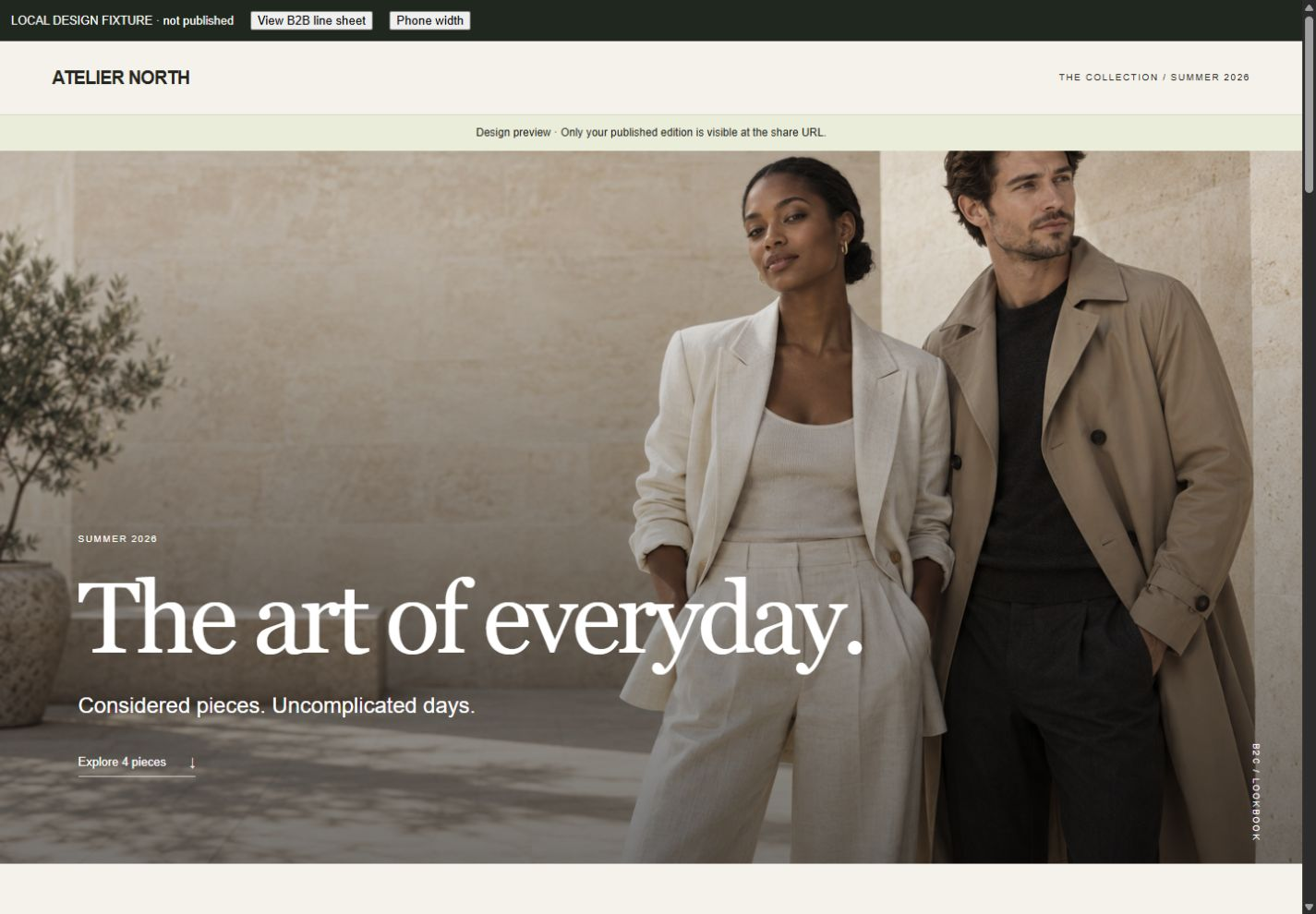
Show people the finished collection, not your working files. Create a branded presentation to share with buyers or shoppers, with the product detail and access controls each audience needs.
Bring product imagery and commercial details together in a password-protected buyer edition. A buyer can review the assortment, compare styles and send an enquiry with the collection already in view.
A buyer edition is a wholesale presentation, not stock reservation, a live B2B quote or an ordering checkout.
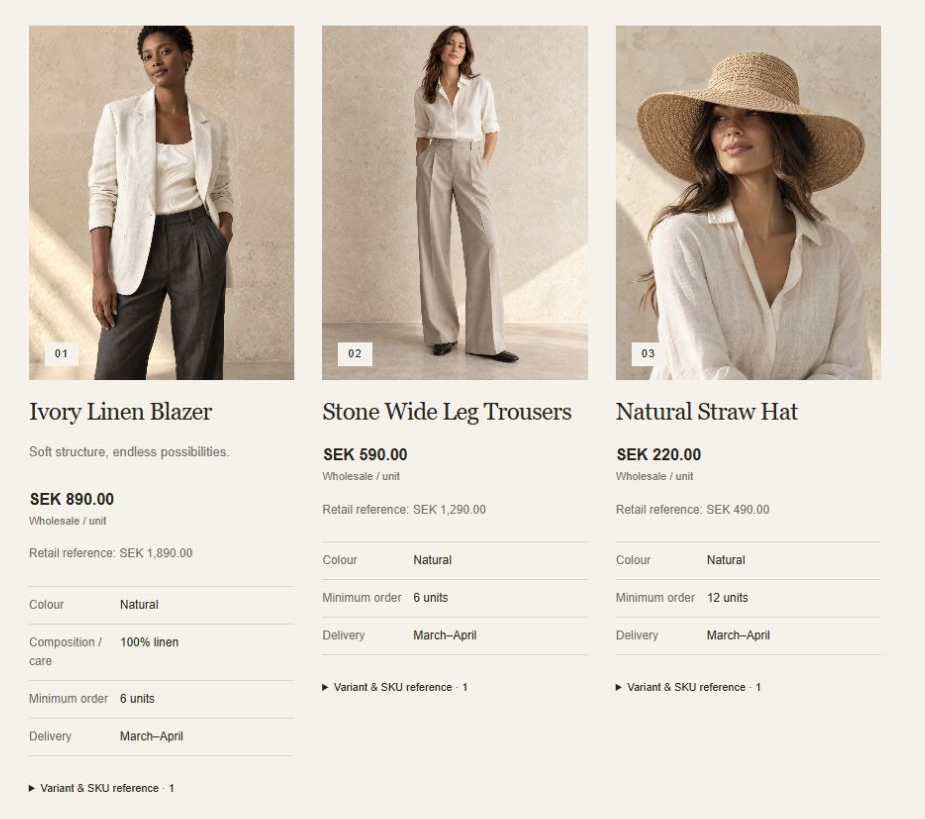
Choose a buyer edition or a shopper lookbook, then bring in the products from your collection.
Add the cover and story, refine the product order, and include the product and commercial details your audience needs.
Preview the recipient’s view and set a password for a buyer edition. Then publish, copy the link, and share it with the people you want to reach.
Shopper editions can link to the product pages in your Shopify storefront. The lookbook itself is not a separate cart or checkout.
No. They present product information, explicit wholesale prices and enquiry details. They do not manage buyer accounts, reserve stock or create wholesale orders. Anyone with the link and password can view an edition.
A published edition is a snapshot. Edit and republish it to update its products, prices or content. Unpublishing removes the hosted edition but cannot recall PDFs or copies someone has already saved.
Tell us about your store. Let’s see what you can create.
Let’s talk MerchCanvasFor Shopify merchants. Built by Black Pear Studio.