Start with your collection
Open a Shopify collection and bring its existing products onto the canvas.
Give products and editorial content their own place on the canvas. Work with the catalog you already have, introduce a story or campaign image, and check how the composition reads on desktop and mobile.
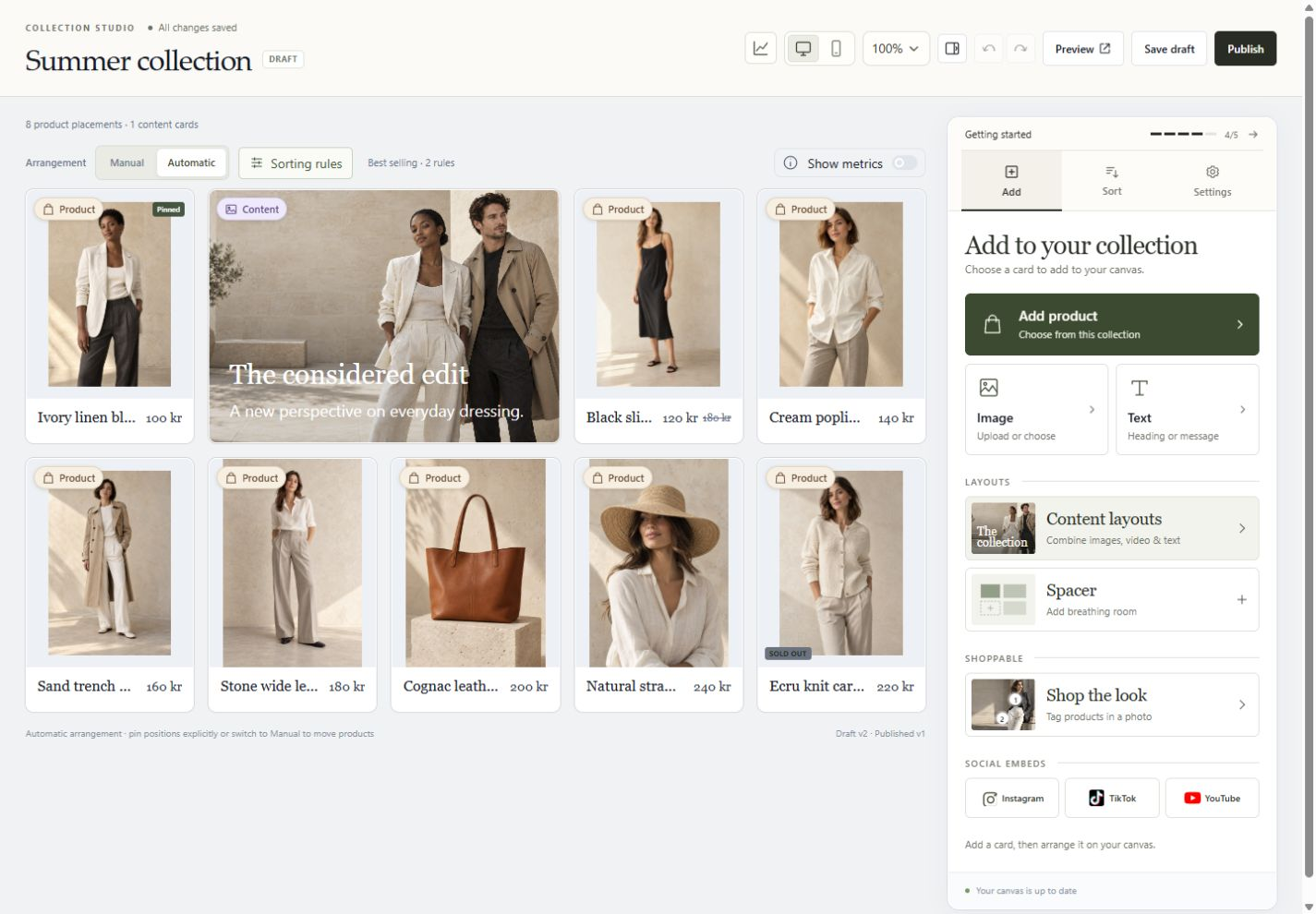
Start with the collection itself. Compose products and content on the canvas, curate the order, and bring selected social moments into the story. Keep the wider collection library close when it is time to launch.
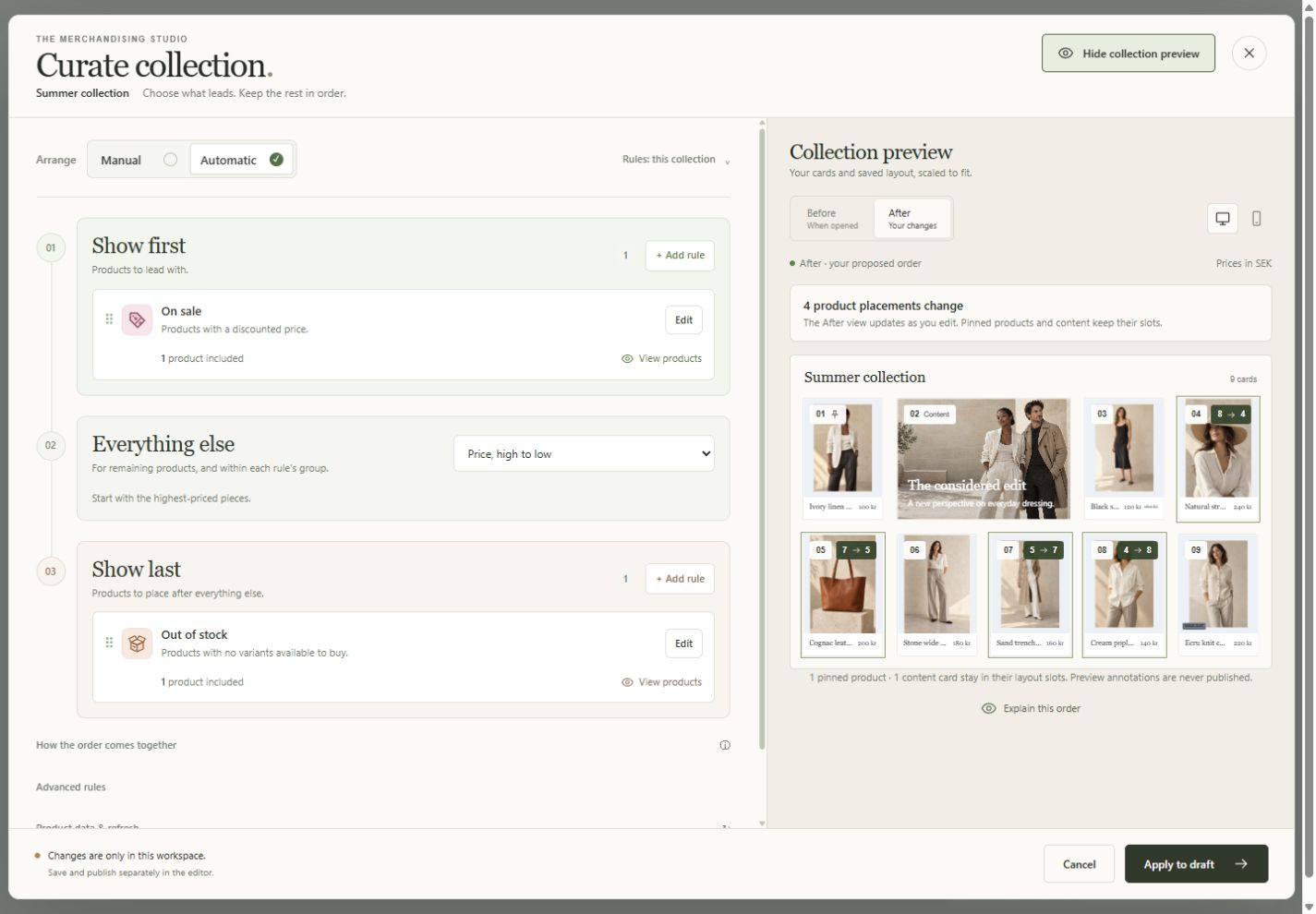
Choose what should lead, what follows your starting order, and what belongs at the end. The sorting workspace previews the resulting product positions, so you can compare the order before applying it to your draft.
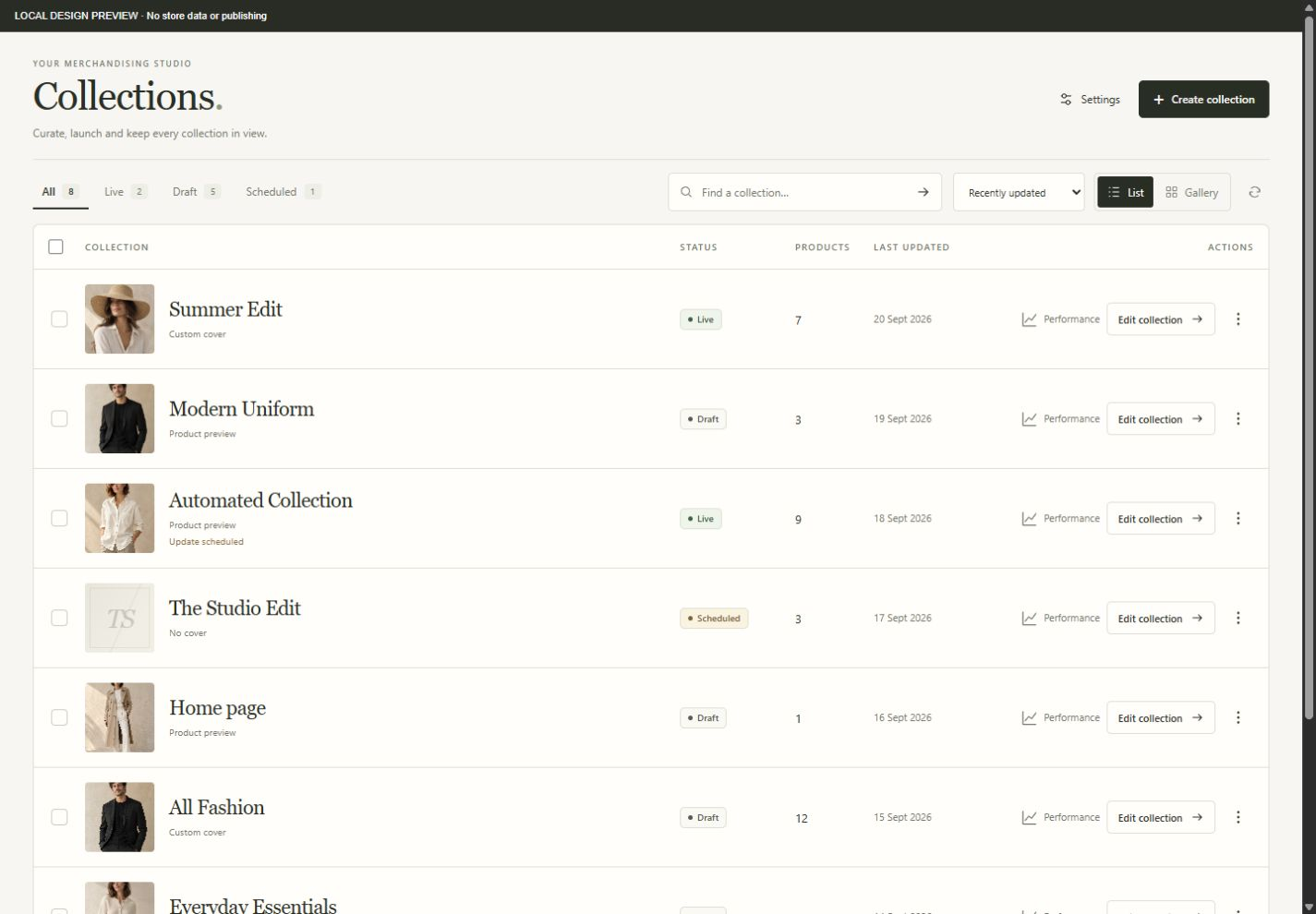
Move from an overview to the right task without opening every collection. The working list keeps the cover, status, product count and last update together, with direct editing and performance actions.
Open a Shopify collection and bring its existing products onto the canvas.
Move products, add content, choose manual or automatic sorting, and check the desktop and mobile views.
See the collection in your theme before making it live. Keep working privately or choose a release time.
No. Collection changes remain in a draft until you publish. Preview lets you check supported changes in your actual theme without making that draft public.
Yes. Use sorting rules for the wider collection and explicitly pin products that need a fixed position. Moving a product does not automatically pin it.
No. MerchCanvas works with your collection and a Shopify theme app extension. Your storefront needs the MerchCanvas layout integration enabled; we can help check your theme during setup.
Tell us about your store. Let’s see what you can create.
Let’s talk MerchCanvasFor Shopify merchants. Built by Black Pear Studio.
Bring the campaign into the collection.
Place selected social content beside the products it helps explain. An Instagram moment or a TikTok video can add context to the edit without turning the collection into a separate social feed. Use only content you have permission to feature.
Add social content by link. Connected-account browsing and Instagram imports are not generally available. TikTok embeds may contact the provider before Play; account for this in your storefront consent setup.