Create with AI.
From product photo to campaign-ready imagery.
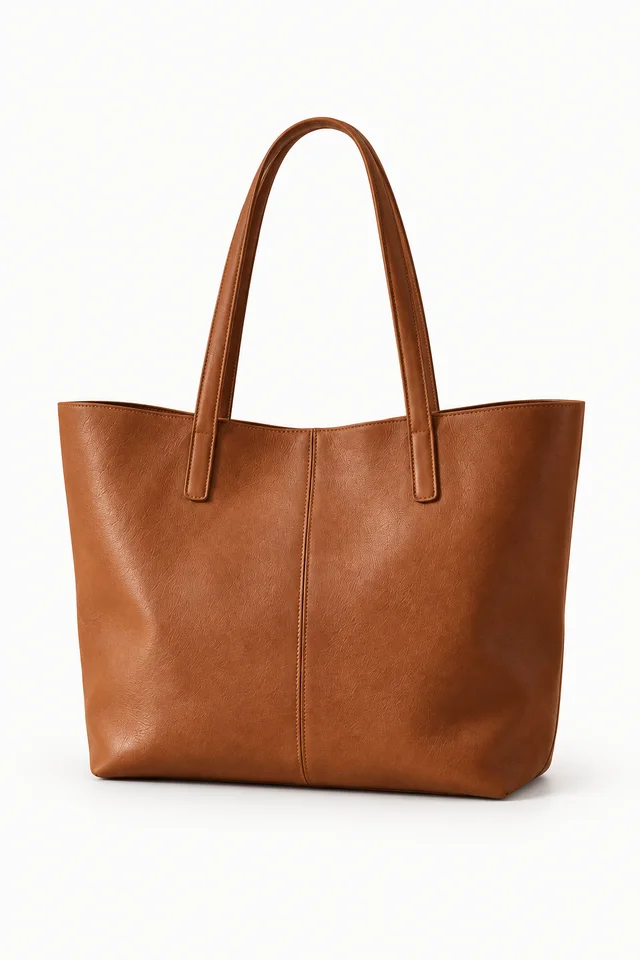
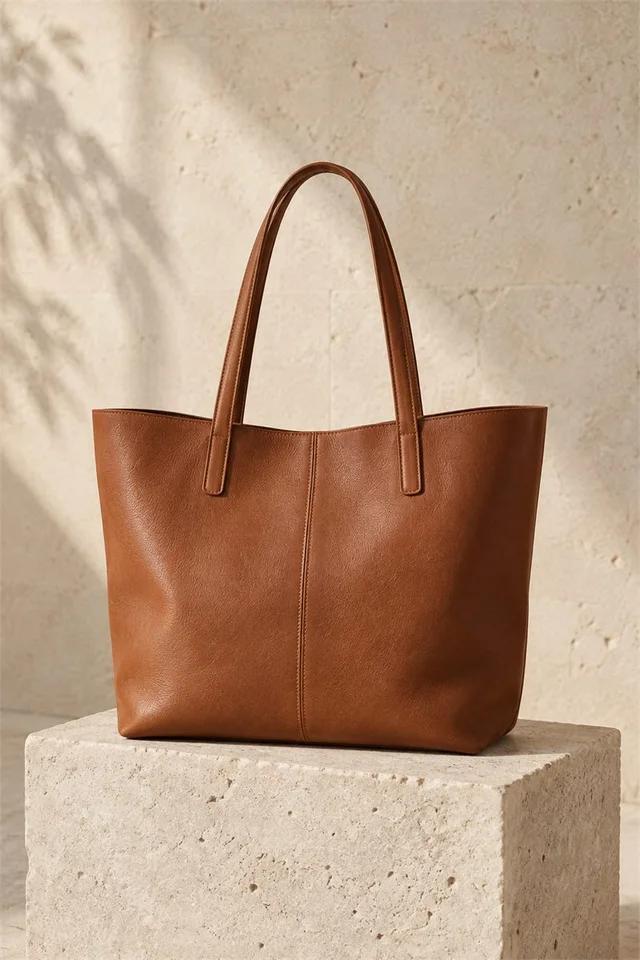
Illustrative AI imagery · Not a live generation.
Create standout imagery with AI. Dynamically sort collections using real performance data.
Creativity and smarter merchandising, together in Shopify.
From product photo to campaign-ready imagery.
Illustrative AI imagery · Not a live generation.
Let sales, stock and your rules shape the order.
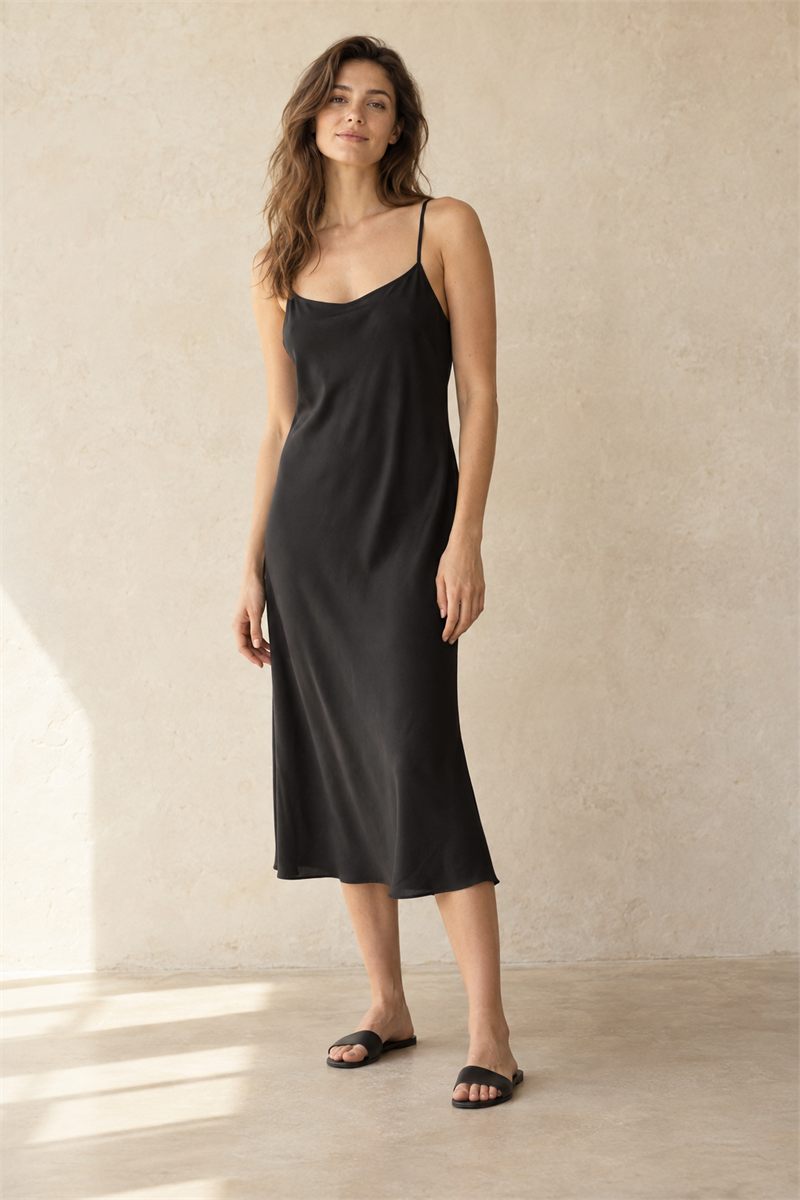
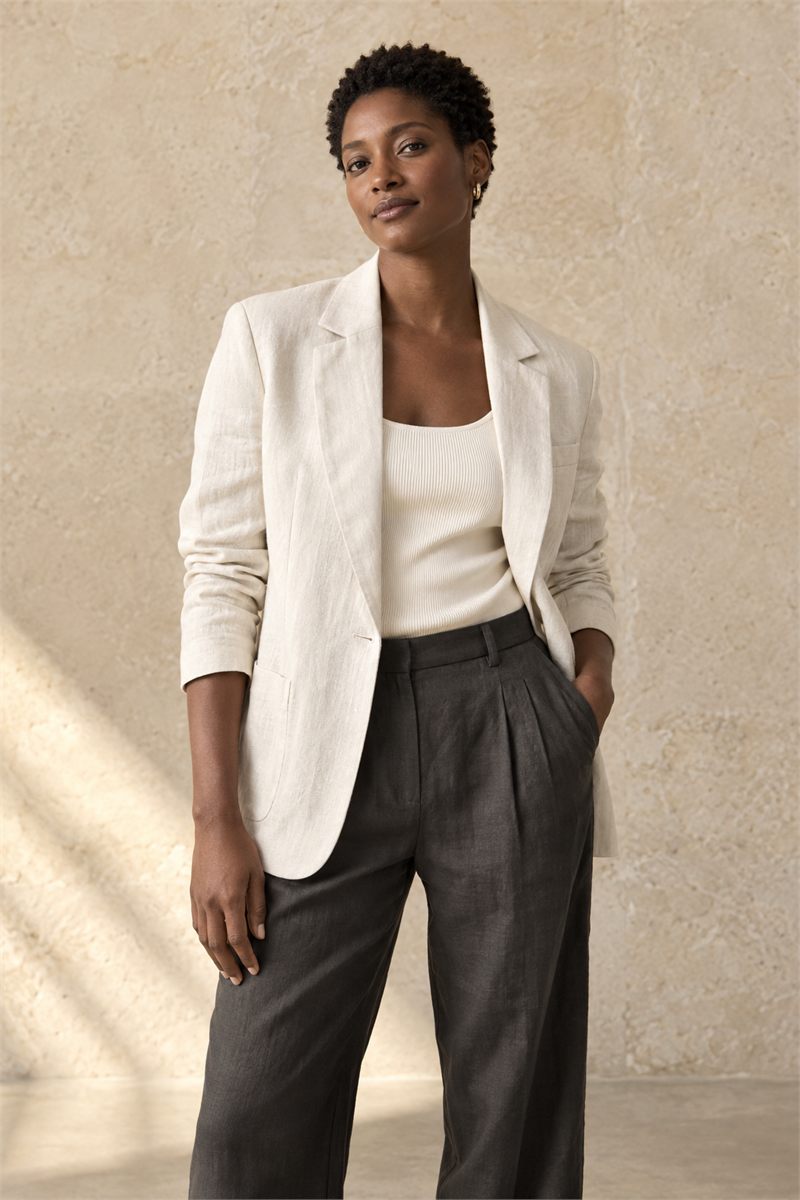 Best sellerIn stockOut of stock
Best sellers lead. Out-of-stock products move to the end.
See the actual MerchCanvas interface below. The screenshots use a fictional catalog and demo data—not customer results.
Start with a product photo from Shopify, your library or a new upload. Choose the kind of image you want to create, then shape its style, model, pose, scene and creative direction.
From a clean listing photo to an on-model story, the choices are visual and the source stays close at hand.
Explore the full Image Studio workflow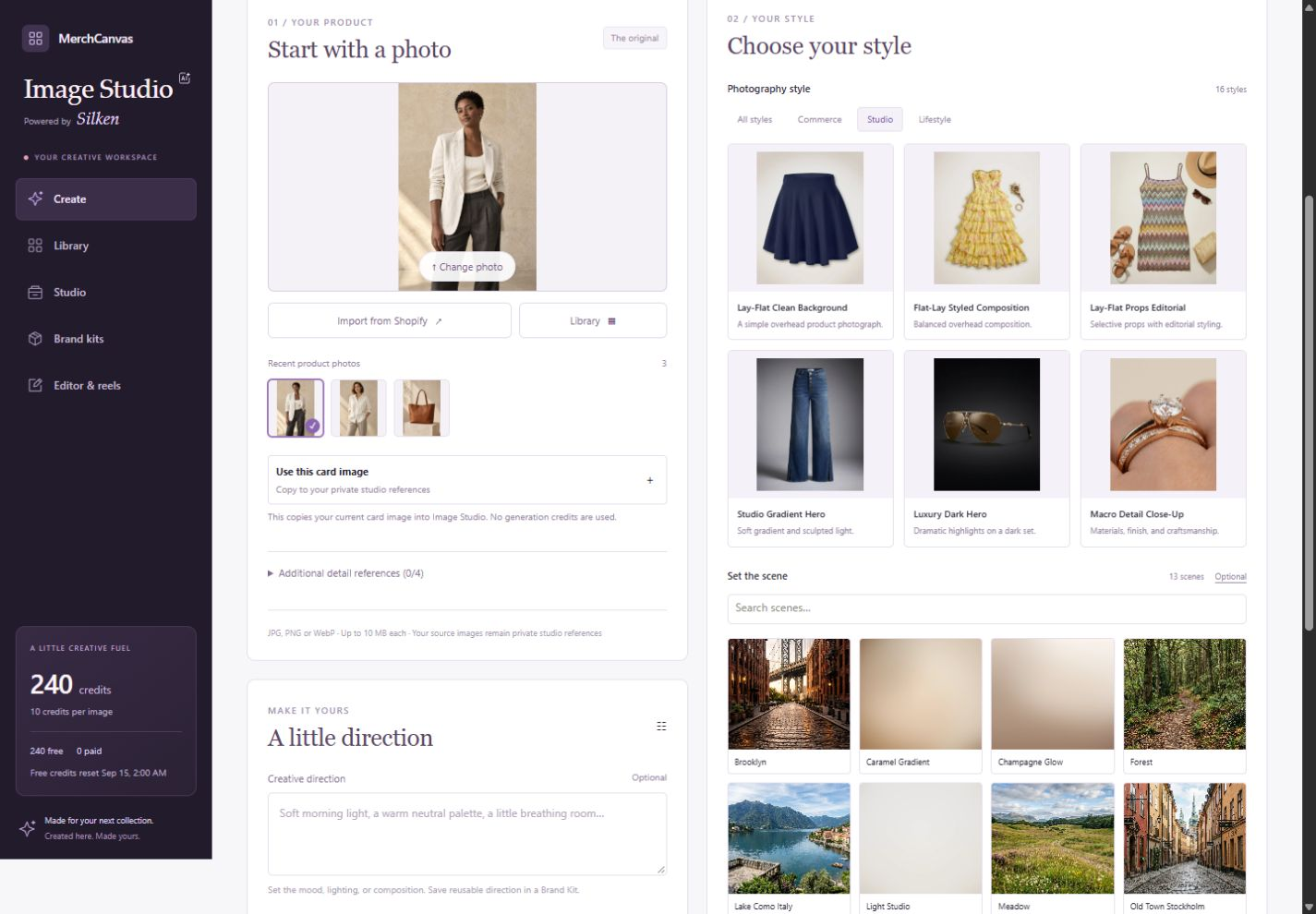
Choose an adult model reference and pose. With Dress the model, select One piece for a single garment or Two pieces to supply separate Top and Bottom images.
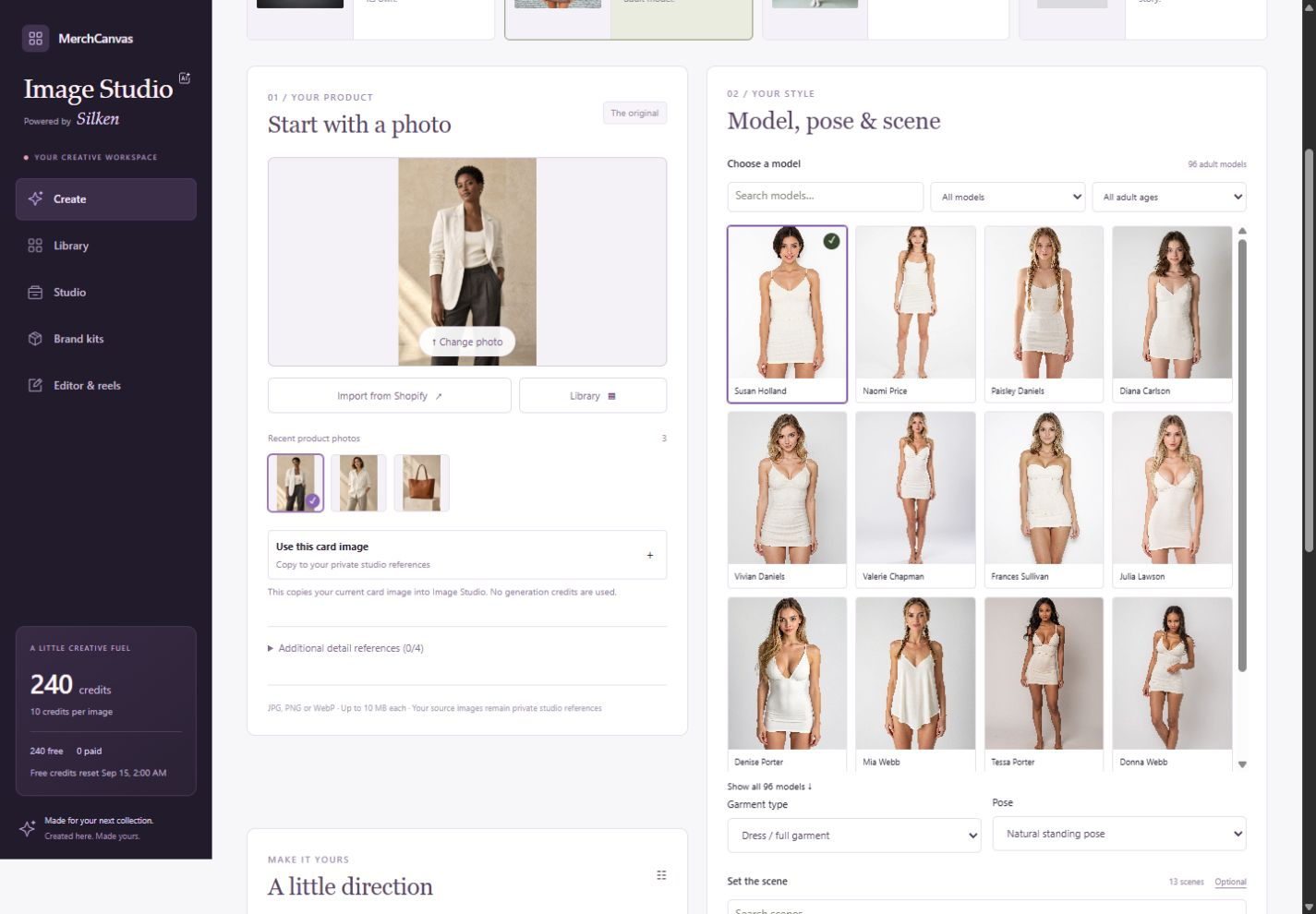
Import an individual catalog photo, choose a library image or upload a reference.
Choose a style, model or scene. Build a shot list when you need a coordinated set.
Save to assets for collections and lookbooks, or choose a product and add the image to its gallery.
Explore the image libraryAI results can differ from the reference. Check product details before use. Creating an image does not publish it to your store. Credits shown in screenshots are demo balances, not a plan allowance.
Work by hand or build an automatic strategy around what should lead, what follows your starting order, and what belongs at the end. Compare Before and After in the actual collection layout.
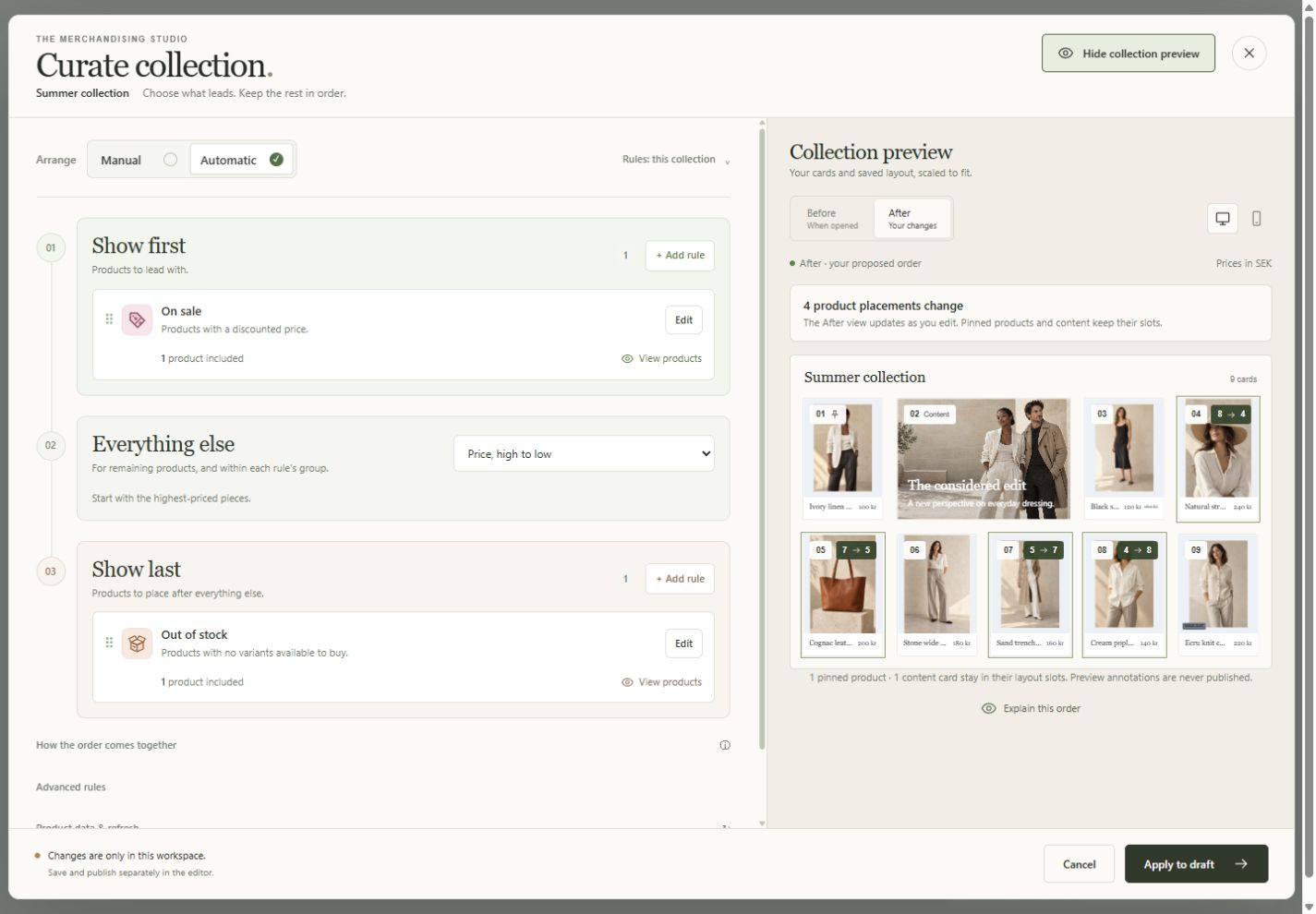
Search a compact list or gallery. See Live, Draft and Scheduled collections with product counts and last-updated dates.
Schedule an individual collection or review a selection to publish or unpublish together. Creating a draft is not a storefront change.
Open a collection’s performance drawer without losing the index. Available measurements stay distinct from missing data.
See collection managementSend another business a finished, branded lookbook—not a folder of attachments. Bring the story, product imagery and wholesale details together in a password-protected buyer edition.
See the finished lookbook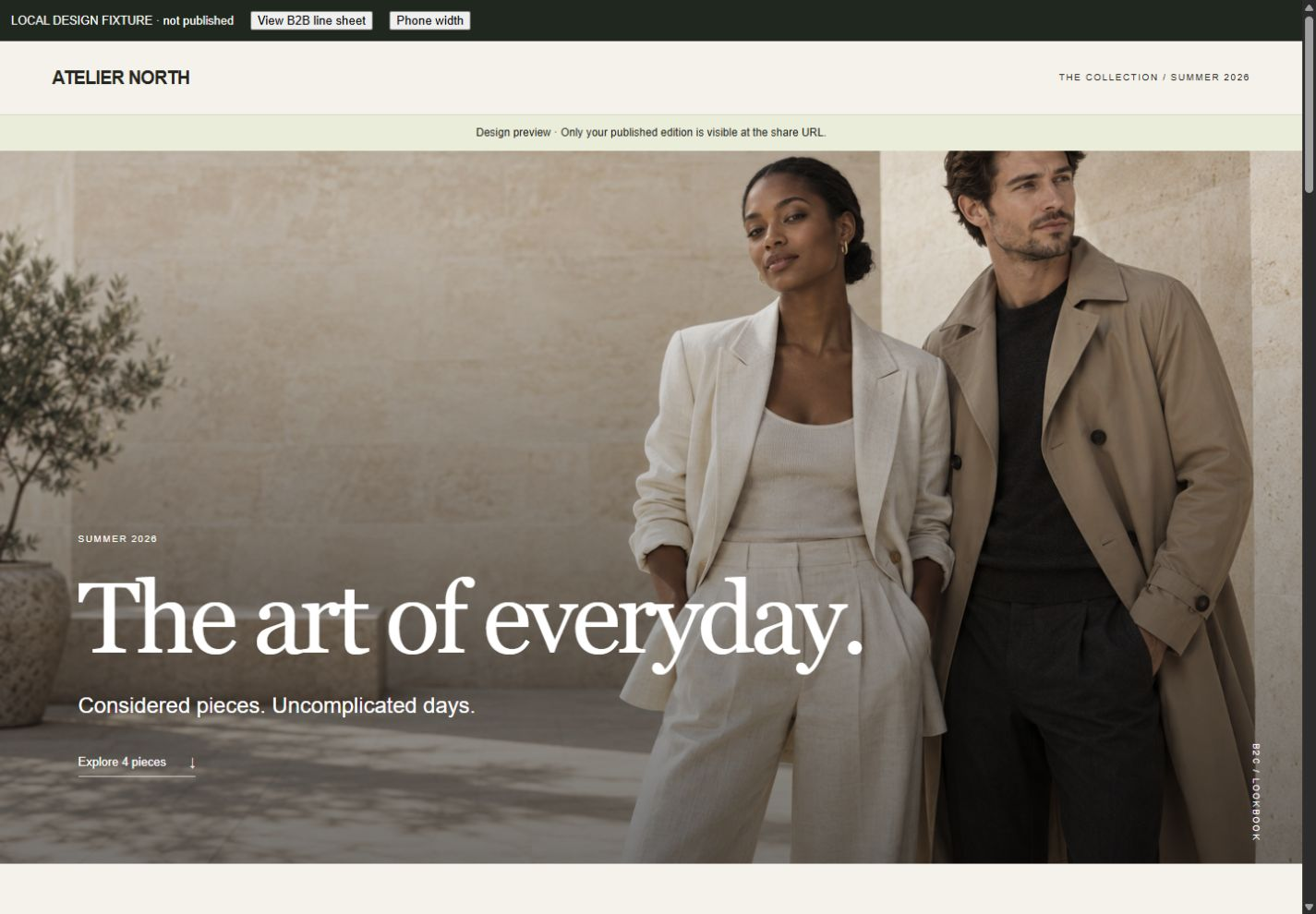
Choose the products you want shoppers to discover. Combine best sellers, new arrivals, similar products or bought-together rules, then refine the selection with pins, filters and exclusions.
Rules use available catalog and store data. Activating a recommendation does not automatically add it to your theme.
See how selection becomes a storefront placement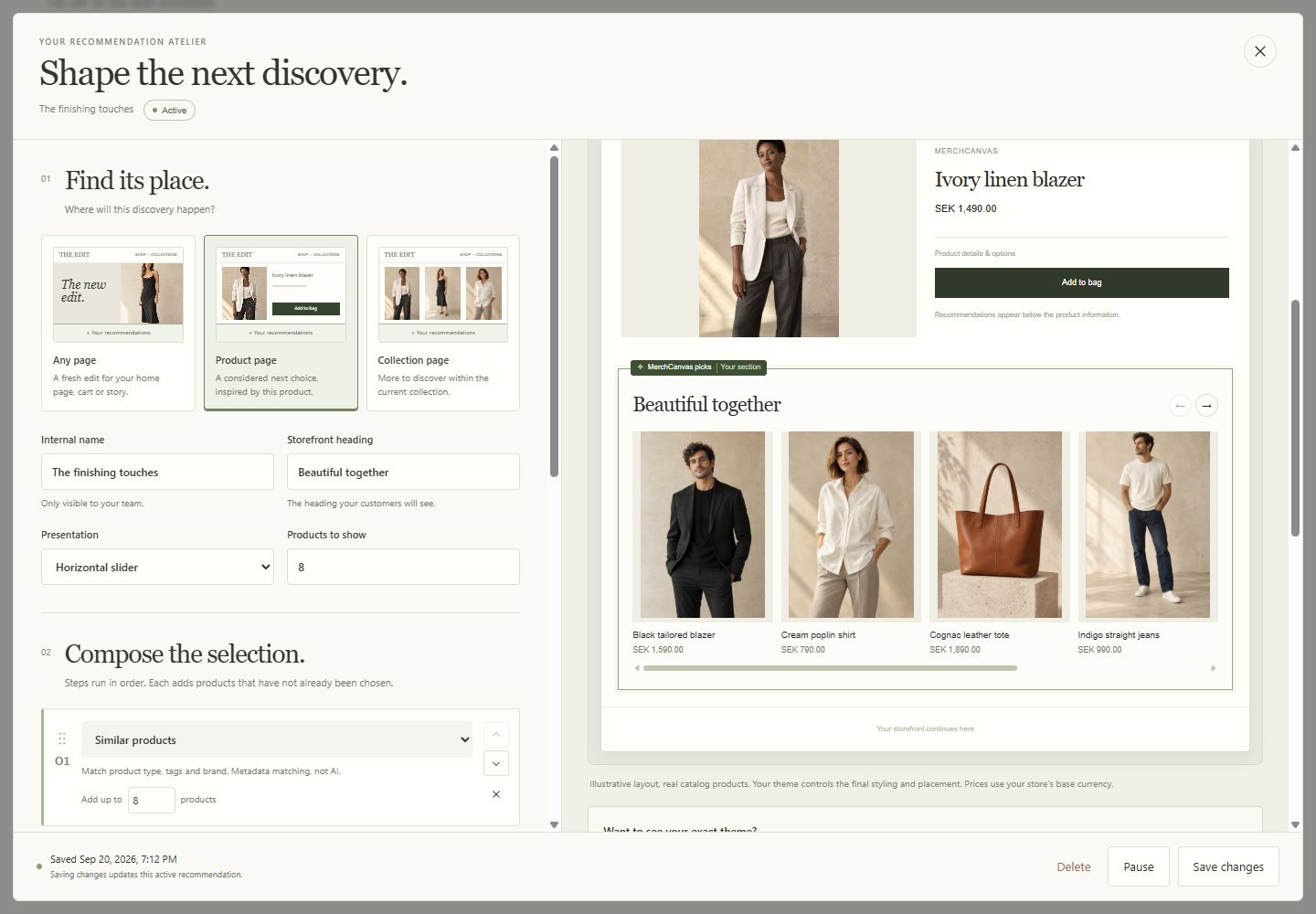
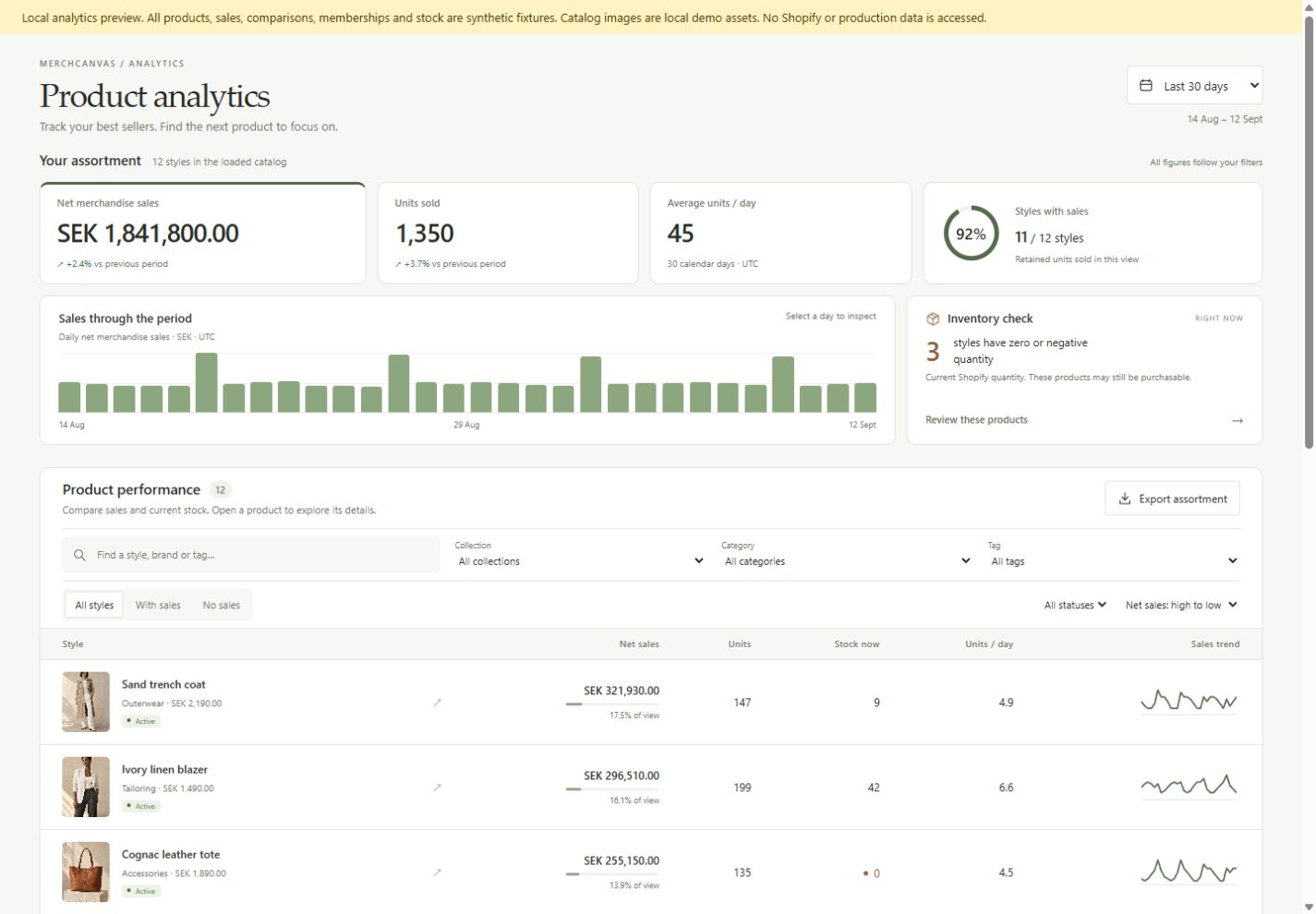
Explore merchandise sales, retained units and current inventory, then take the right detail into your next merchandising conversation.
Filter by collection, category or tag. Review product trends alongside current stock and open an individual product for more detail.
Choose dates and comparisons, group sales by day, week or month, then export the selected table as CSV or a complete Excel workbook.
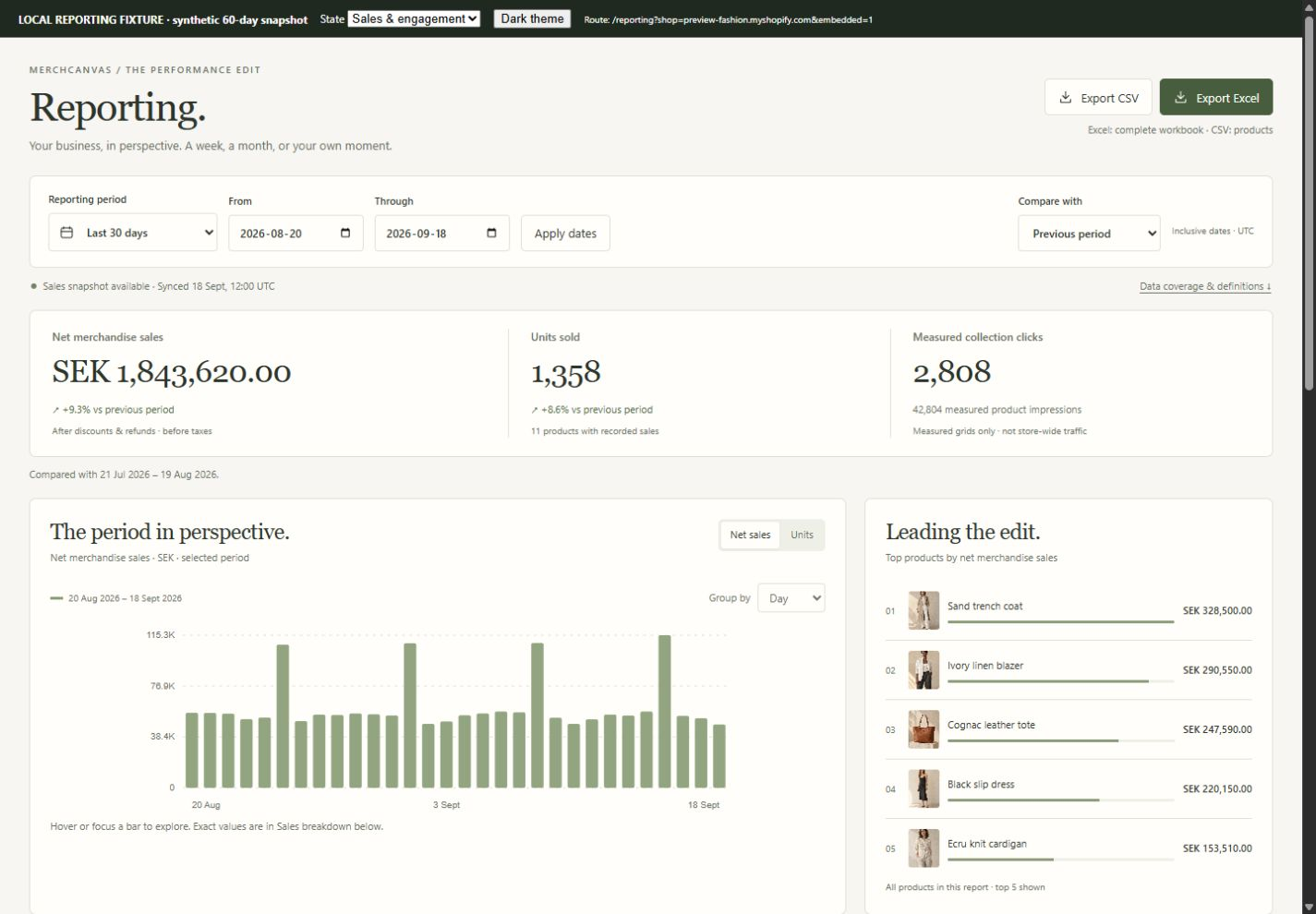
Keep the assortment consistent across summaries, charts, tables and downloads.
Summary, Products, Sales trend, Measured collections and Definitions, with numeric values ready to work with.
Missing history stays unavailable. The current sales snapshot covers 60 days; full-year reporting requires additional historical data.
Use the catalog and media you already have. Check your data connection and the permissions needed for your workflow.
Create imagery, compose a collection or build a recommendation. Use the previews to understand what you are changing.
Enable the collection layout embed or connect a recommendation block in your theme. Save and check the result.
MerchCanvas is built for Shopify merchants who want more control over how their products are presented. It brings visual collections, lookbooks, AI imagery, recommendations and reporting into one merchandising workspace.
MerchCanvas is currently being tested with development stores. Contact us with your Shopify store and what you would like to create, and we will discuss availability and setup. Requesting access does not start a paid subscription.
Our launch plans are Starter at $39/month, Growth at $99/month, Scale at $249/month, in USD before taxes. Each includes an order allowance and a separate AI image allowance; additional order charges apply. See Pricing for the full rates and calculator. Access is currently by request, and self-service billing is not yet available. This website does not subscribe you or take payment.
No. MerchCanvas integrates with your existing Shopify storefront through its theme extension. Layout and recommendation setup depend on your theme’s capabilities; we can help check compatibility during setup.
Yes. Image Studio AI lets you save chosen images to Shopify assets for reuse, or add them to an existing product. Saving an asset, updating a product gallery and publishing a collection or lookbook are separate actions.
MerchCanvas is a product of Black Pear AB in Stockholm, Sweden. Its Image Studio AI is powered by Silken. Contact the MerchCanvas team for access, support or questions about your store.
Tell us about your store. Let’s see what you can create.
Let’s talk MerchCanvasFor Shopify merchants. Built by Black Pear Studio.