Start with a real product
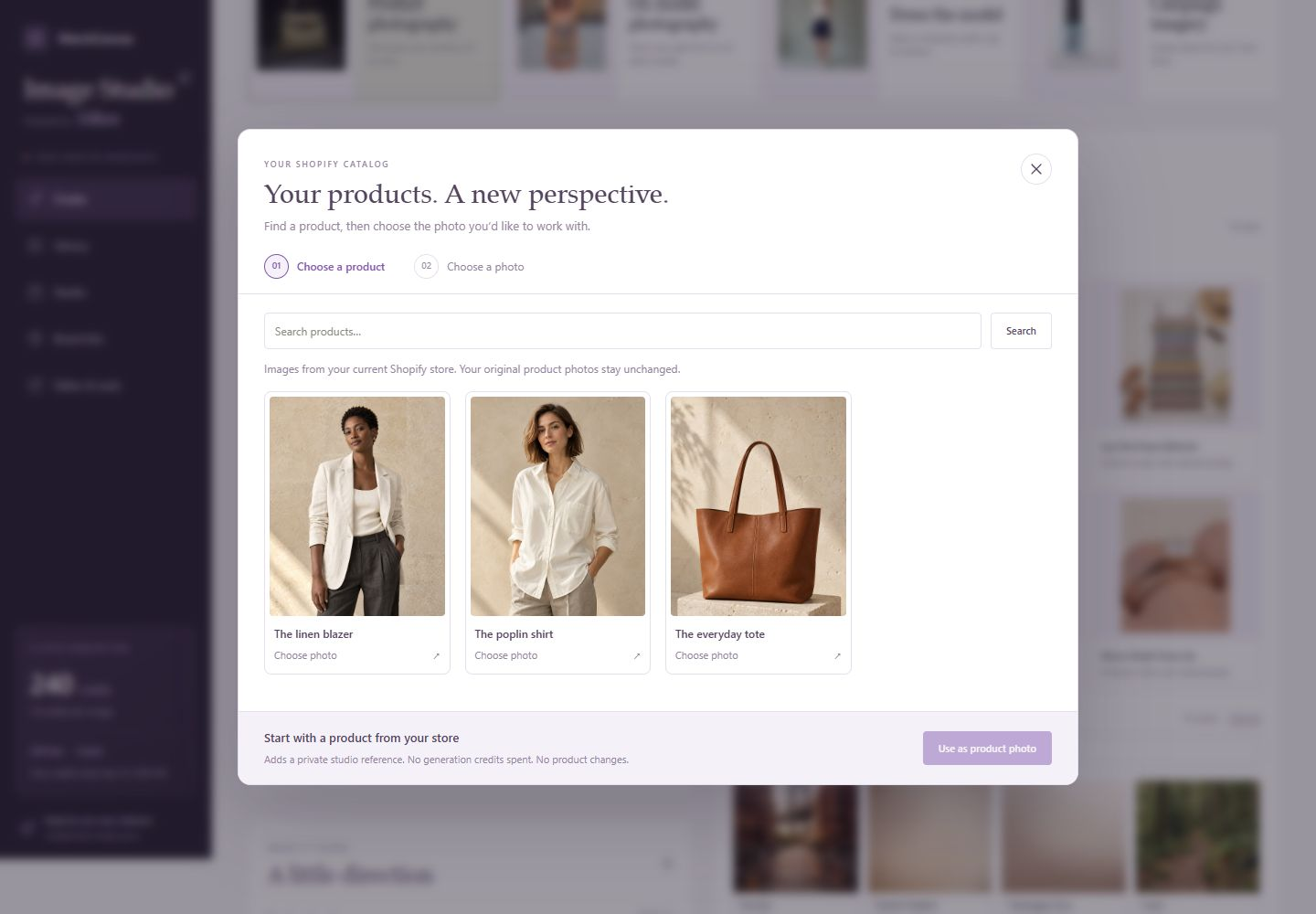
Choose a photo from your Shopify catalog, reuse an image from your library, or upload your own.
Start with your own product photo and explore a new visual direction. Create product, on-model and campaign imagery, then bring your chosen images back into Shopify.
Image Studio AI brings Silken’s creative tools into MerchCanvas: your product references, photography styles, models, creative direction and finished images in one connected workspace.
Import a photo from a Shopify product, choose an image from your library, or upload a new reference. Then give the shot a direction with your prompt, brand settings and output format.
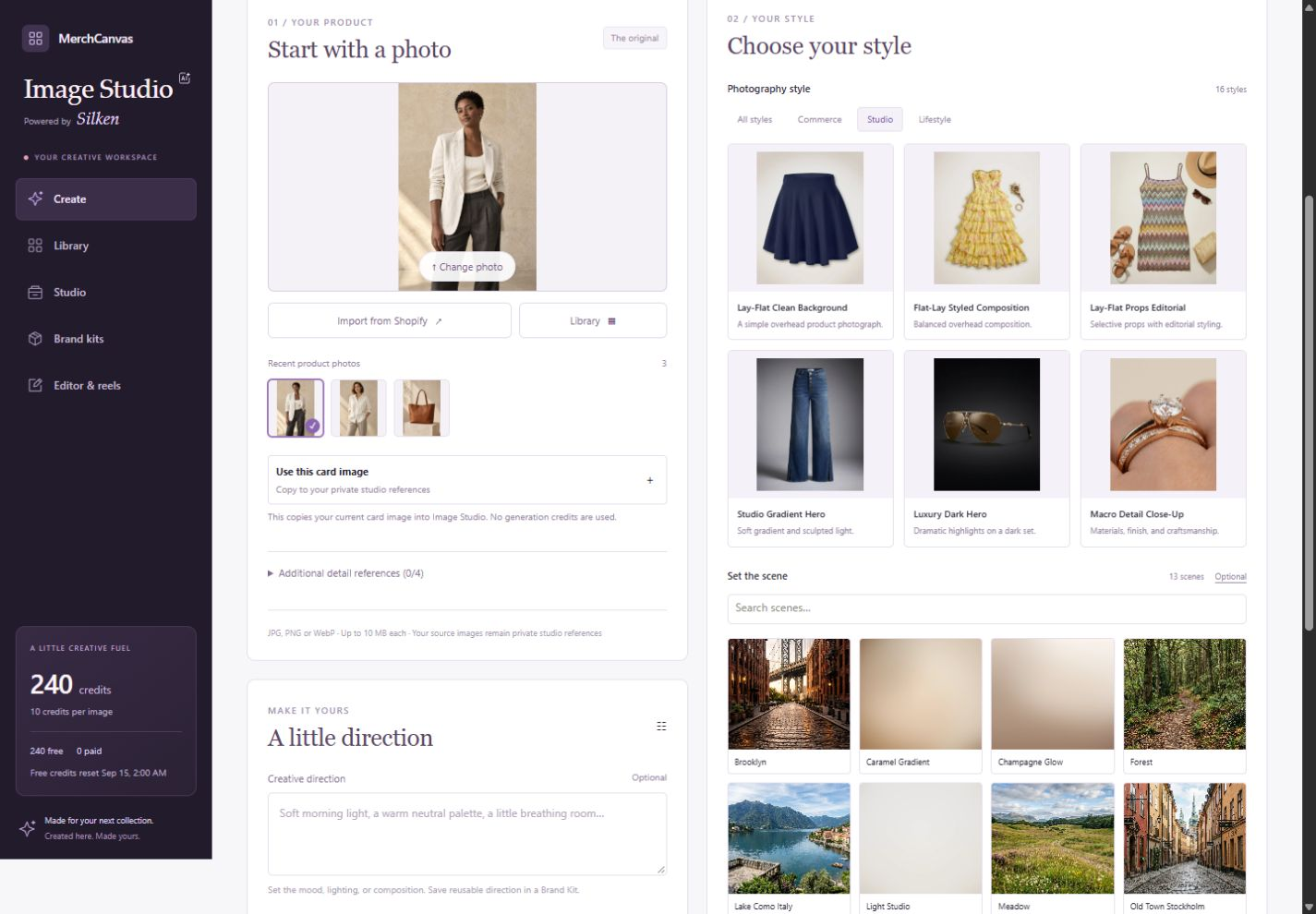
Browse 16 photography styles across Commerce, Studio and Lifestyle. See the composition before choosing it, from clean product listings to styled flat lays and campaign images with space for copy.
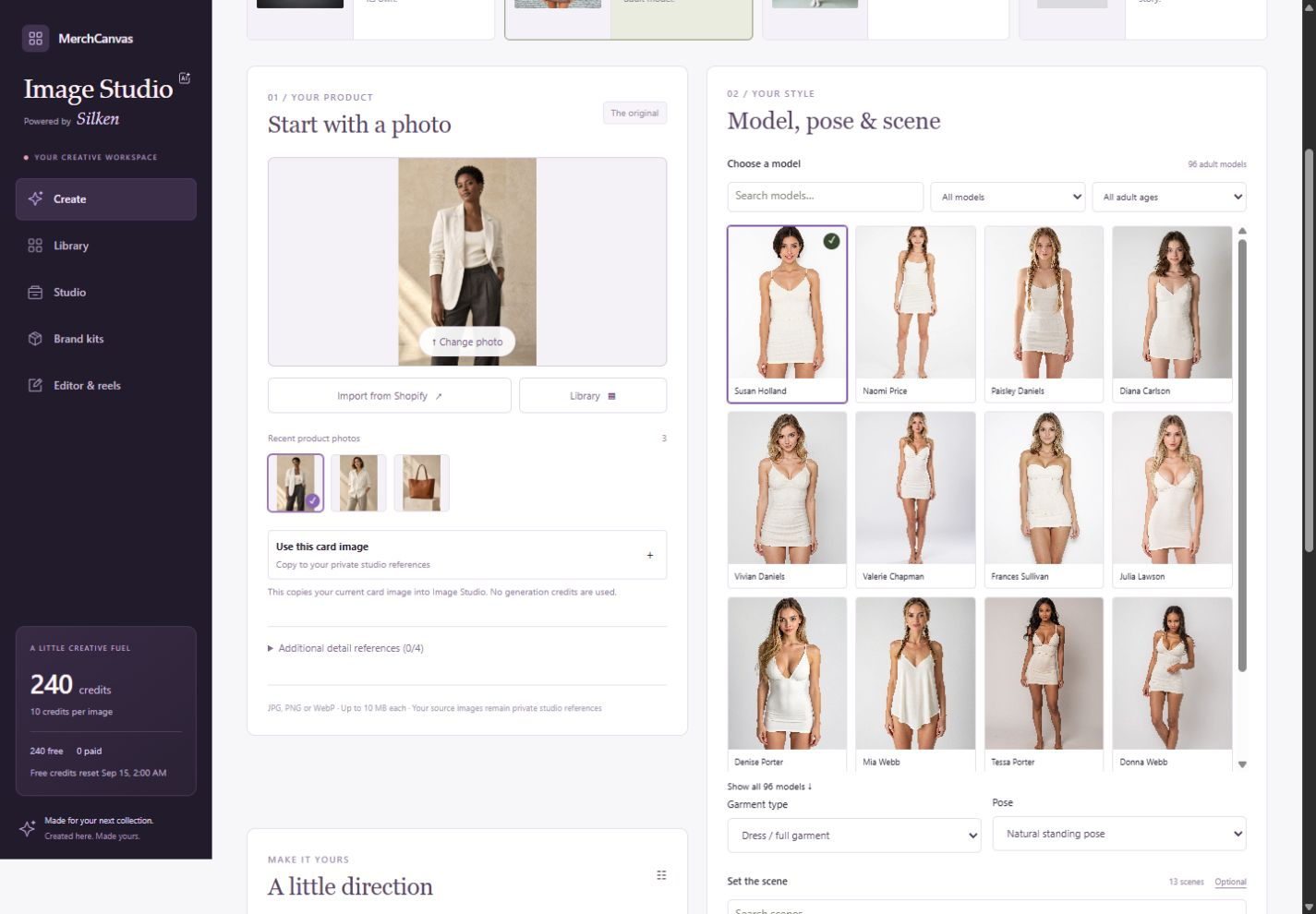
Browse 96 adult model references, choose a pose, and set the scene. Dress the model supports a single garment or a two-piece outfit with separate reference images for the top and bottom.
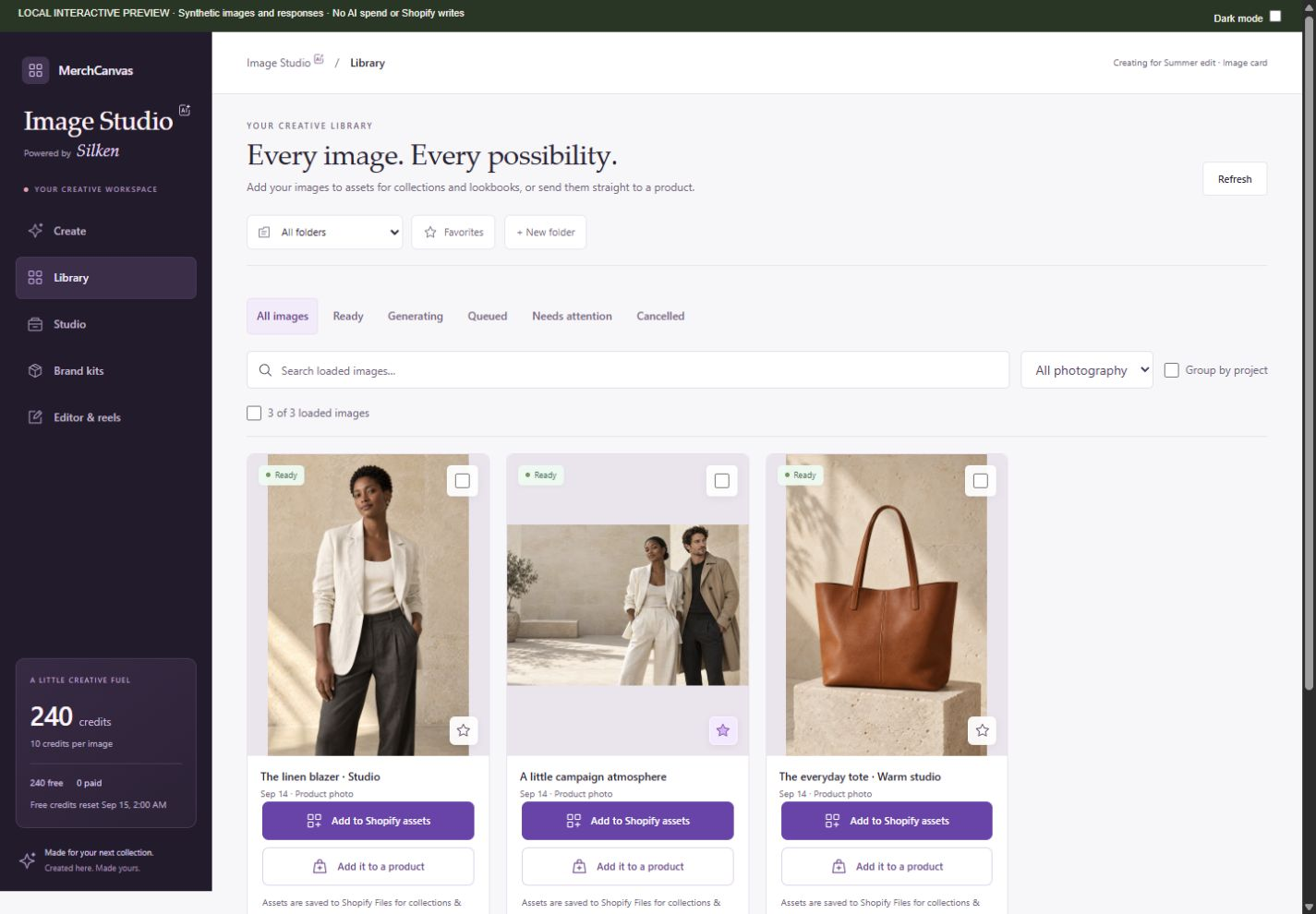
Keep generated results in your studio library until you decide how to use them. Two direct actions connect a chosen image to Shopify, without a separate review workflow.
Choose a photo from your Shopify catalog, reuse an image from your library, or upload your own.
Choose a style and add your direction. For model photography, select the model and pose. Check the image count and credit cost before generating.
Check the result, then save it to your Shopify assets or add it to a selected product. Creating an image alone does not publish it.
Yes. Import from Shopify lets you choose a product and one of its images. You can also use your private reference library, Shopify Files or a new upload.
AI results can differ from the reference. Check details such as shape, color, labels and fit before using an image in your store. MerchCanvas does not guarantee an exact reproduction.
No. Generated results stay in your private studio until you choose a destination. Saving to Shopify assets creates a public Shopify file; adding to a product can affect a live product page. Collection and lookbook publication remain separate actions.
Tell us about your store. Let’s see what you can create.
Let’s talk MerchCanvasFor Shopify merchants. Built by Black Pear Studio.